Merdeka backoffice prototype
A clickable copy of an operations console, used to review new workflows before they're built.
Case study · Product designer and prototyper · October 8, 2026 · 1 min read
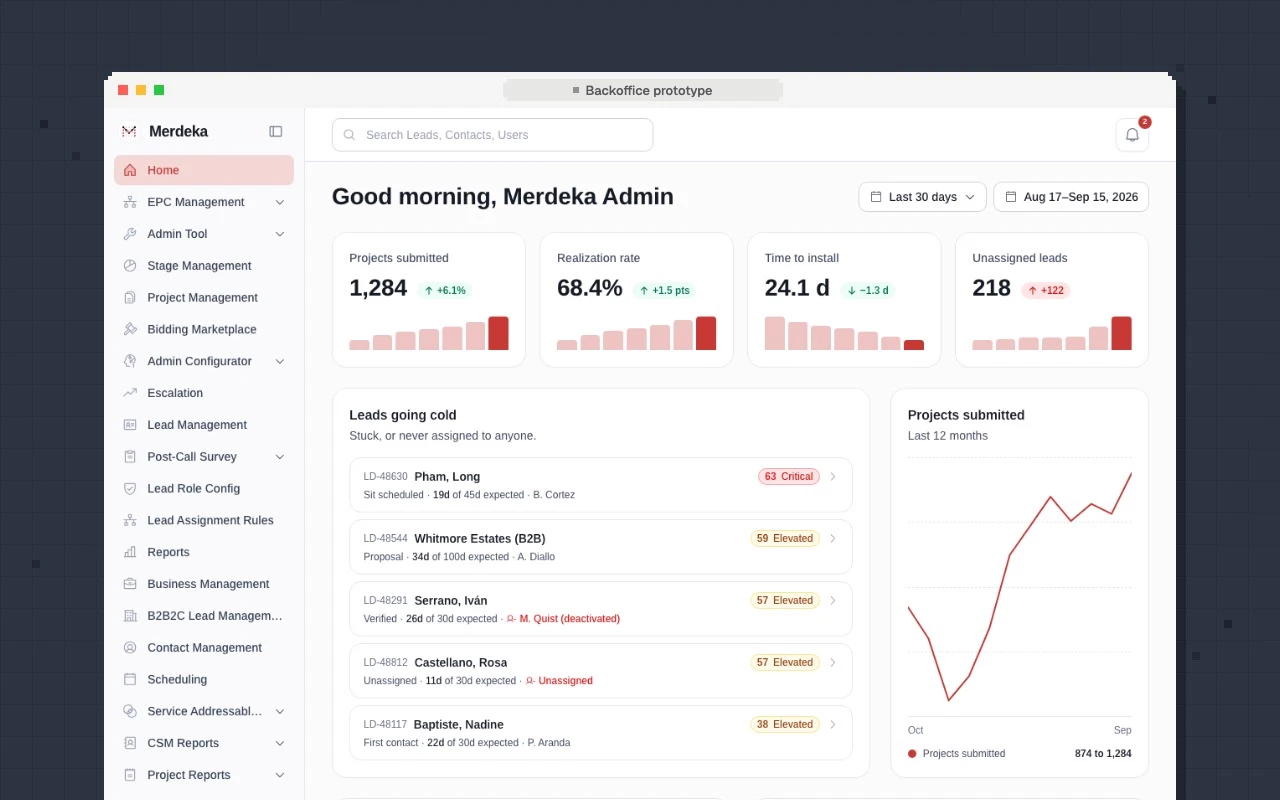
Merdeka's backoffice is where operations staff manage leads, project stages, missing documents, and settings. New workflows there need sign-off from several teams before they're built. Static mockups weren't enough, so I built a prototype people could click through.
The goal
Make it feel like the real app, so reviews focus on the workflow and not on how it looks. Keep it safe to share: every person and number is fictional.
What's in it
38 screens, built over about three months:
- A sales manager's home with leads that are going cold
- A project page with stages, uploads, and a role switcher
- Admin settings: notification rules, CSV import, lead roles, webhooks
- A marketplace where partners bid on ready projects
- A course builder and two mobile layouts side by side
- A customer proposal: pick services, see financing, sign
Design choices
- Guided demos. A step-by-step tour sits over the real page, so anyone can run a demo alone.
- Changes stick, then reset. You can create a rule or import a file and see it stay. A "Reset demo" button clears it for the next person.
- Options side by side. When the team disagreed, the prototype showed both versions.
- Looks like production. Same sidebar, same components. Menu items without a page are shown but disabled.
Built with Next.js, Tailwind CSS, and shadcn, with tests and lint checks so weekly changes don't break it.